

Problems with Your Co-op Membership app?
We want to acknowledge and apologise for the recent issues some of you have encountered while trying to access the Your Co-op Membership app. We understand the frustration this may have caused and appreciate your patience.
To help our members regain access to the updated app, we have compiled a trouble-shooter below with our latest advice. Please select the options most relevant to your issue.
Log in to help us find your issue quicker (optional)


 Back
Back
-

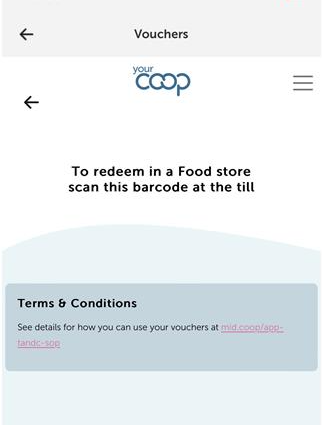
To remedy this so that you can see the voucher barcodes, please can you try these 5 steps below in this order;
1. On the same phone that you have the App please visit https://membership.yourcoop.coop and you should hopefully see a screen as per below.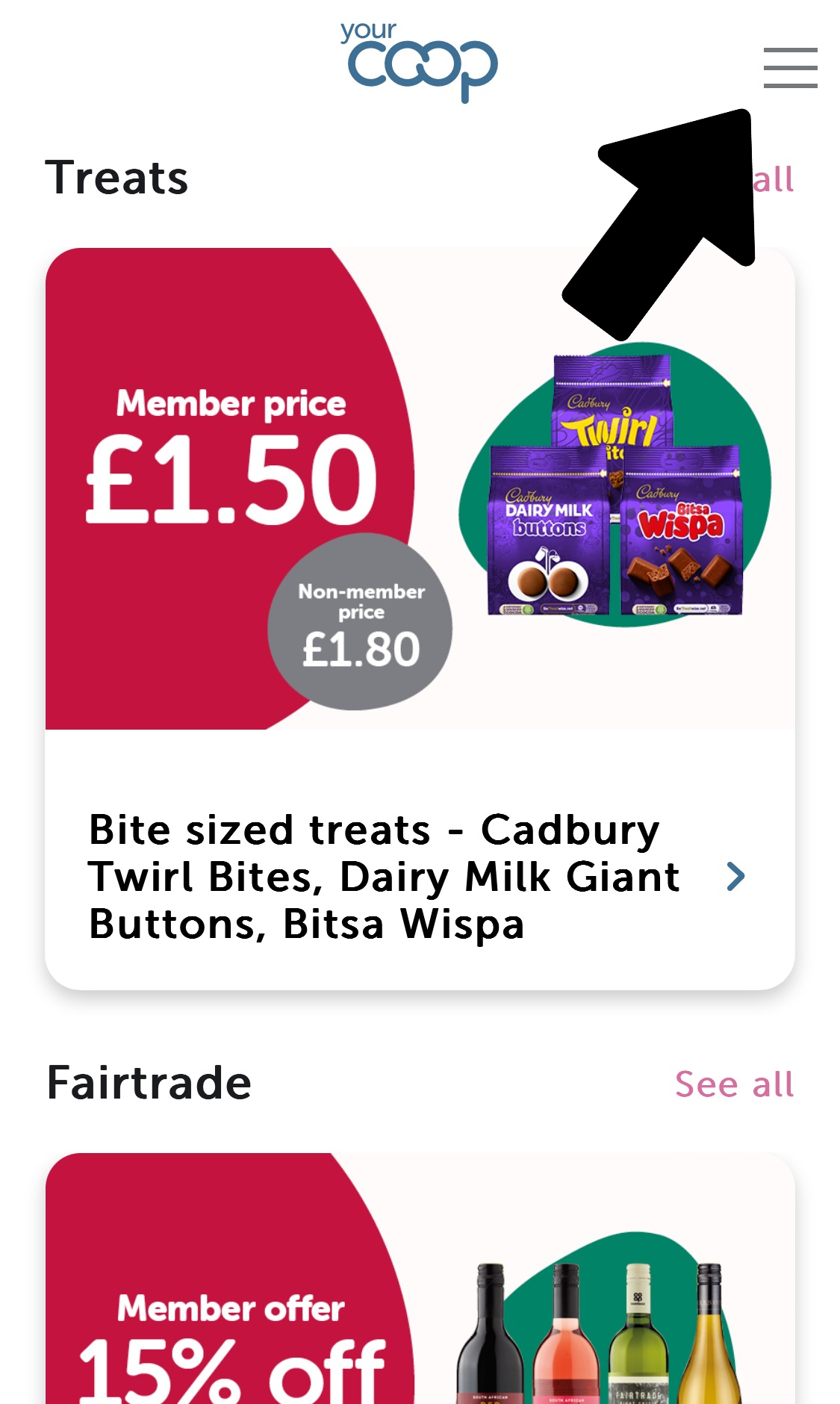
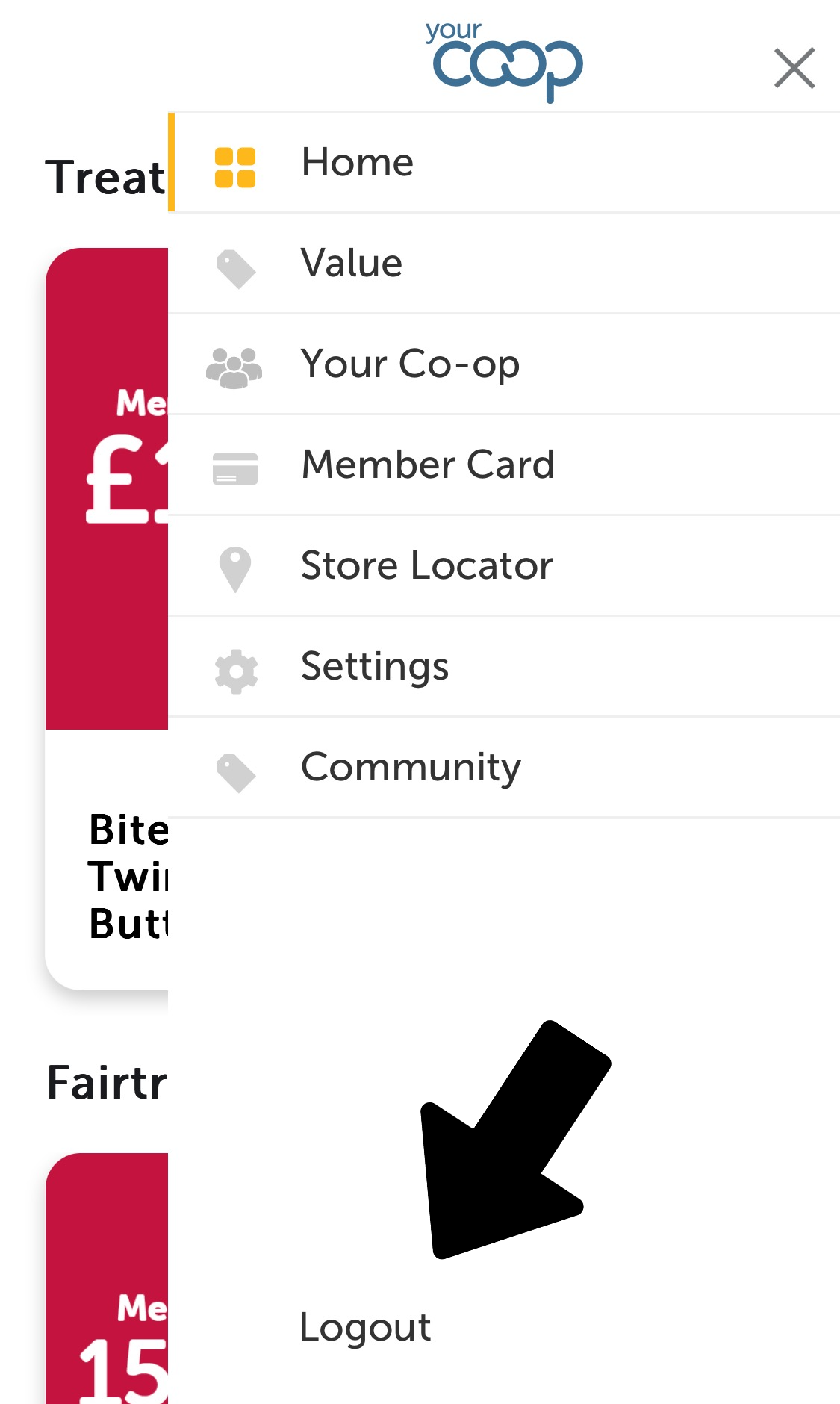
2. Navigate to the menu via the top-right icon and then click "Logout" at the bottom. This will clear your locally stored web view token.
3. Please uninstall the Your Co-op membership app from your device, and then download the new version as below;
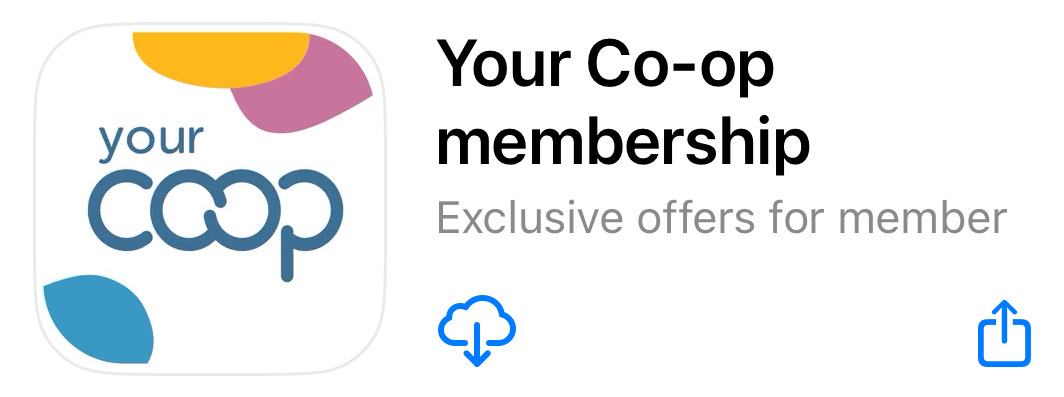
4. Click on the App and check you are logged out. If not, go to the cog settings icon in the top right of the screen and once in “settings and preferences” section, scroll down and log out.
5. Close and reopen the app, log back in. This should update the app and enable you to log in.
Thank you for your understanding. We appreciate your feedback and continued use of our app.
We hope that you have been able to resolve your issue by following these steps. Please let us know via the form below whether your issue has been resolved or not. Our support team will be in contact if we have not been able to resolve your issue.
Did we fix your issue?
-

This issue should be fixed by our latest release! Please go to the Apple App Store and click "Update":
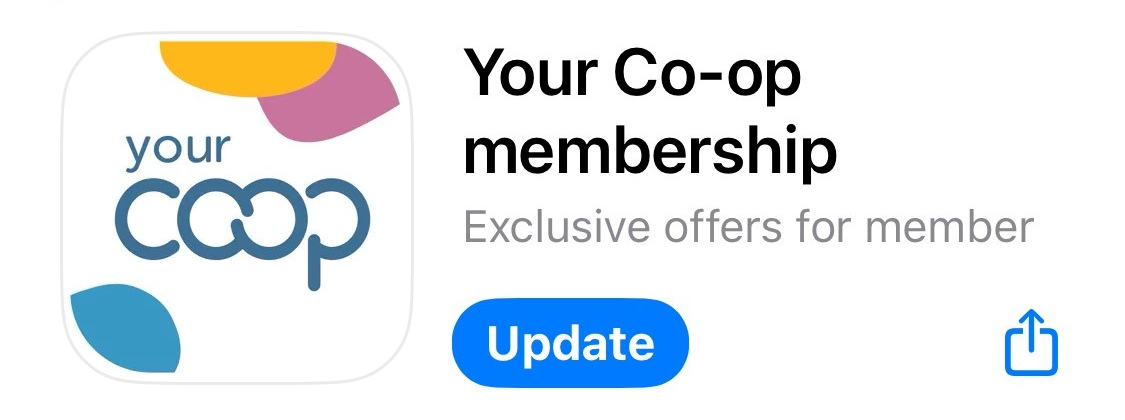
Thank you for your understanding. We appreciate your feedback and continued use of our app.
We hope that you have been able to resolve your issue by following these steps. Please let us know via the form below whether your issue has been resolved or not. Our support team will be in contact if we have not been able to resolve your issue.
Did we fix your issue?
-

This is the first process we would like you to try to resolve your App issue. Please follow the instructions below.
1. Please uninstall the Your Co-op membership app from your device, and then download the new version as below;
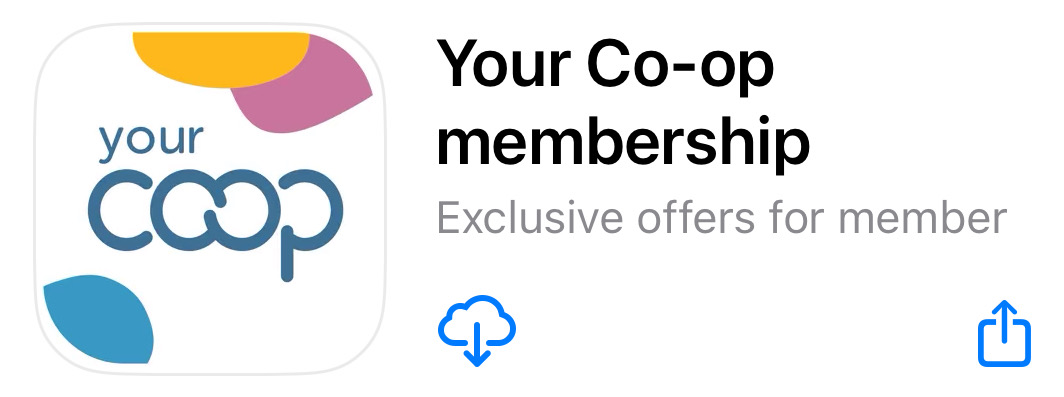
2. Click on the App and check you are logged out. If not, go to the cog settings icon in the top right of the screen and once in “settings and preferences” section, scroll down and log out.
3. Close and reopen the app, log back in. This should update the app and enable you to log in.
Thank you for your understanding. We appreciate your feedback and continued use of our app.
We hope that you have been able to resolve your issue by following these steps. Please let us know via the form below whether your issue has been resolved or not. Our support team will be in contact if we have not been able to resolve your issue.
Did we fix your issue?
-

This issue should be fixed by our latest release! Please go to the Apple App Store and click "Update":
Thank you for your understanding. We appreciate your feedback and continued use of our app.
We hope that you have been able to resolve your issue by following these steps. Please let us know via the form below whether your issue has been resolved or not. Our support team will be in contact if we have not been able to resolve your issue.
Did we fix your issue?
-

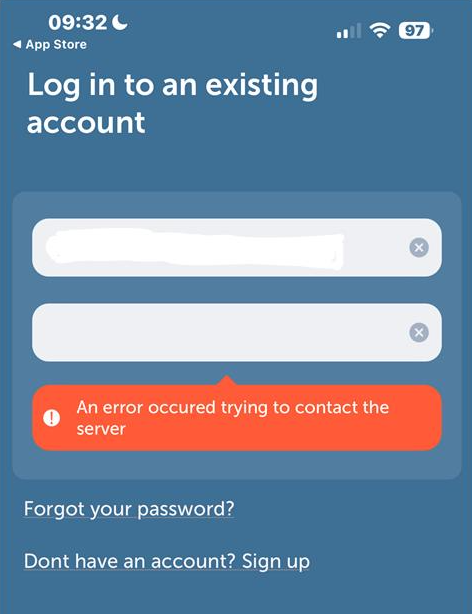
This error usually means there is a problem with your account which we will need to investigate. Please provide further details using the form below and our support team will be on hand to get you back online.
Thank you for your understanding. We appreciate your feedback and continued use of our app.
-

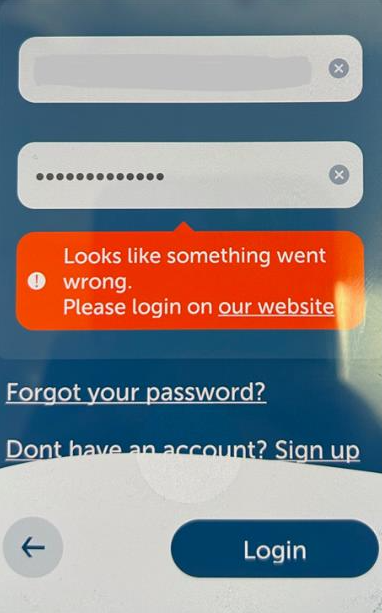
This message usually appears when you try to log in but are not connected to the internet.
1. Please ensure your device has a strong internet connection via either wi-fi or 4G before logging in.
2. Verify your internet connectivity by browsing our website at https://www.midcounties.coop
3. Once you have a strong internet connection, try logging in to the app again
4. If this doesn’t work, please try again after an hour, as it could be a temporary issue
Thank you for your understanding. We appreciate your feedback and continued use of our app.
We hope that you have been able to resolve your issue by following these steps. Please let us know via the form below whether your issue has been resolved or not. Our support team will be in contact if we have not been able to resolve your issue.
Did we fix your issue?
 Back
Back
To remedy this so that you can see the voucher barcodes, please can you try these 5 steps below in this order;
1. On the same phone that you have the App please visit https://membership.yourcoop.coop and you should hopefully see a screen as per below.
2. Navigate to the menu via the top-right icon and then click "Logout" at the bottom. This will clear your locally stored web view token.
3. Please uninstall the Your Co-op membership app from your device, and then download the new version as below;
4. Click on the App and check you are logged out. If not, go to the cog settings icon in the top right of the screen and once in “settings and preferences” section, scroll down and log out.
5. Close and reopen the app, log back in. This should update the app and enable you to log in.
Thank you for your understanding. We appreciate your feedback and continued use of our app.
We hope that you have been able to resolve your issue by following these steps. Please let us know via the form below whether your issue has been resolved or not. Our support team will be in contact if we have not been able to resolve your issue.
Did we fix your issue?
Back
This issue should be fixed by our latest release! Please go to the Apple App Store and click "Update":
Thank you for your understanding. We appreciate your feedback and continued use of our app.
We hope that you have been able to resolve your issue by following these steps. Please let us know via the form below whether your issue has been resolved or not. Our support team will be in contact if we have not been able to resolve your issue.
Did we fix your issue?
Back
This is the first process we would like you to try to resolve your App issue. Please follow the instructions below.
1. Please uninstall the Your Co-op membership app from your device, and then download the new version as below;
2. Click on the App and check you are logged out. If not, go to the cog settings icon in the top right of the screen and once in “settings and preferences” section, scroll down and log out.
3. Close and reopen the app, log back in. This should update the app and enable you to log in.
Thank you for your understanding. We appreciate your feedback and continued use of our app.
We hope that you have been able to resolve your issue by following these steps. Please let us know via the form below whether your issue has been resolved or not. Our support team will be in contact if we have not been able to resolve your issue.
Did we fix your issue?
Back
This issue should be fixed by our latest release! Please go to the Apple App Store and click "Update":
Thank you for your understanding. We appreciate your feedback and continued use of our app.
We hope that you have been able to resolve your issue by following these steps. Please let us know via the form below whether your issue has been resolved or not. Our support team will be in contact if we have not been able to resolve your issue.
Did we fix your issue?
Back
This error usually means there is a problem with your account which we will need to investigate. Please provide further details using the form below and our support team will be on hand to get you back online.
Thank you for your understanding. We appreciate your feedback and continued use of our app.
Back
This message usually appears when you try to log in but are not connected to the internet.
1. Please ensure your device has a strong internet connection via either wi-fi or 4G before logging in.
2. Verify your internet connectivity by browsing our website at https://www.midcounties.coop
3. Once you have a strong internet connection, try logging in to the app again
4. If this doesn’t work, please try again after an hour, as it could be a temporary issue
Thank you for your understanding. We appreciate your feedback and continued use of our app.
We hope that you have been able to resolve your issue by following these steps. Please let us know via the form below whether your issue has been resolved or not. Our support team will be in contact if we have not been able to resolve your issue.
Did we fix your issue?
Back
If your issue is one we have not listed, please use the form below to provide us as much information as possible, as it may be an issue we are not already aware of.
Thank you for your understanding. We appreciate your feedback and continued use of our app.
Back
-

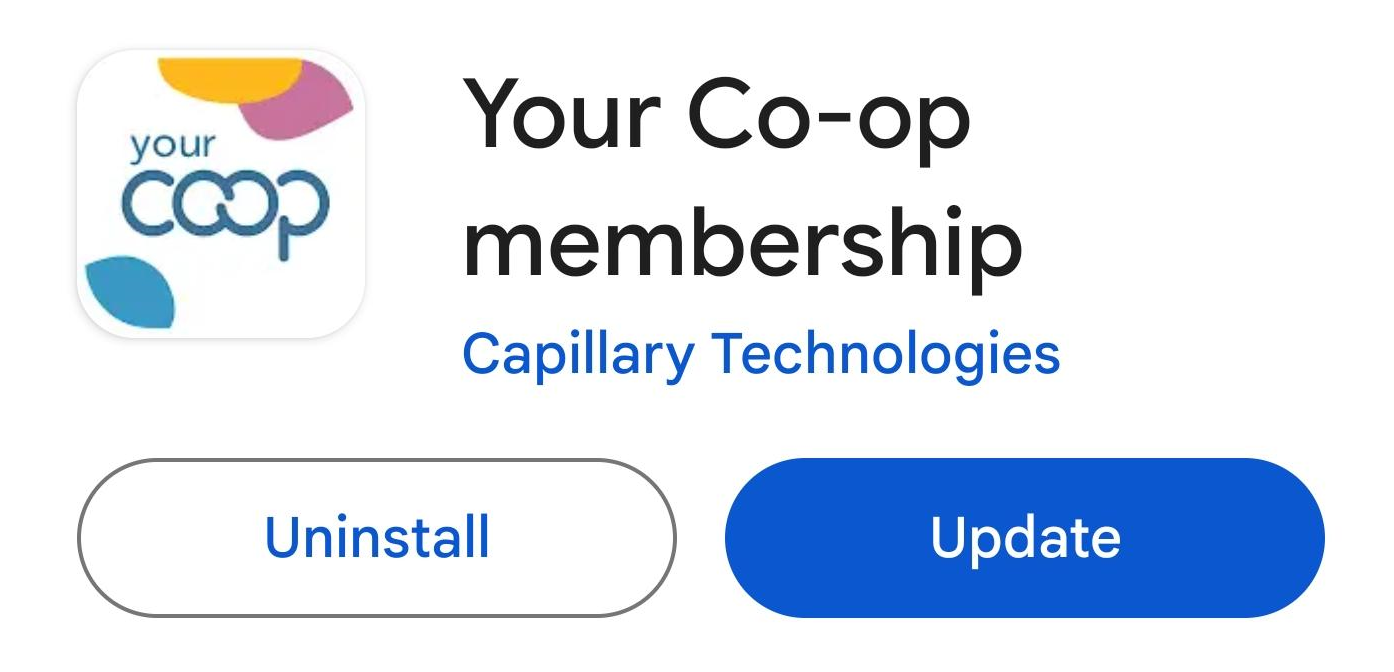
This issue should be fixed by our latest release! Please go to the Google Play Store and click "Update":
Thank you for your understanding. We appreciate your feedback and continued use of our app.
We hope that you have been able to resolve your issue by following these steps. Please let us know via the form below whether your issue has been resolved or not. Our support team will be in contact if we have not been able to resolve your issue.
Did we fix your issue?
-

This issue should be fixed by our latest release! Please go to the Google Play Store and click "Update":
Thank you for your understanding. We appreciate your feedback and continued use of our app.
We hope that you have been able to resolve your issue by following these steps. Please let us know via the form below whether your issue has been resolved or not. Our support team will be in contact if we have not been able to resolve your issue.
Did we fix your issue?
-

This is the first process we would like you to try to resolve your App issue. Please follow the instructions below.
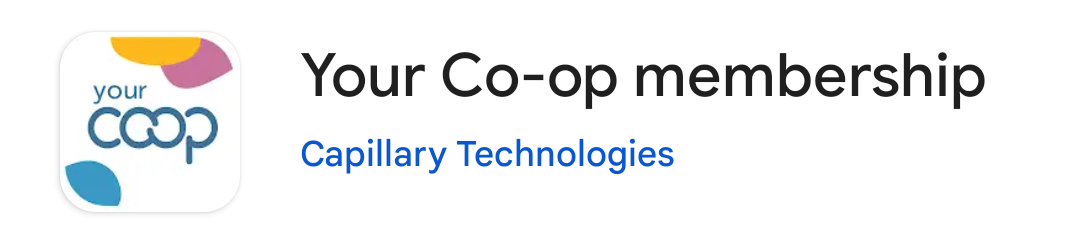
1. Please uninstall the Your Co-op membership app from your device, and then download the new version as below;
2. Click on the App and check you are logged out. If not, go to the cog settings icon in the top right of the screen and once in “settings and preferences” section, scroll down and log out.
3. Close and reopen the app, log back in. This should update the app and enable you to log in.
Thank you for your understanding. We appreciate your feedback and continued use of our app.
We hope that you have been able to resolve your issue by following these steps. Please let us know via the form below whether your issue has been resolved or not. Our support team will be in contact if we have not been able to resolve your issue.
Did we fix your issue?
-

This issue should be fixed by our latest release! Please go to the Google Play Store and click "Update":
Thank you for your understanding. We appreciate your feedback and continued use of our app.
We hope that you have been able to resolve your issue by following these steps. Please let us know via the form below whether your issue has been resolved or not. Our support team will be in contact if we have not been able to resolve your issue.
Did we fix your issue?
-

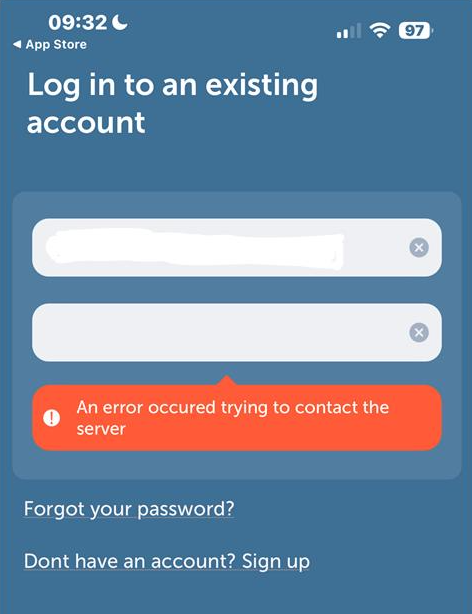
This error usually means there is a problem with your account which we will need to investigate. Please provide further details using the form below and our support team will be on hand to get you back online.
Thank you for your understanding. We appreciate your feedback and continued use of our app.
-

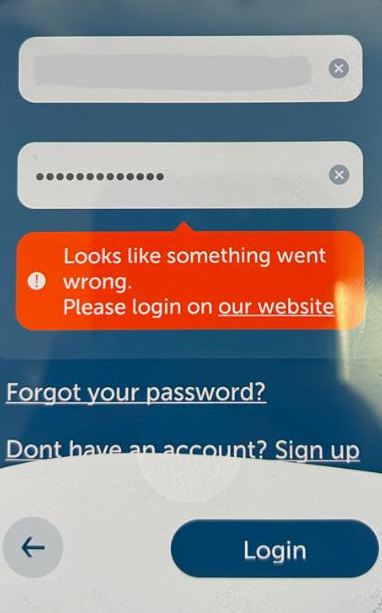
This message usually appears when you try to log in but are not connected to the internet.
1. Please ensure your device has a strong internet connection via either wi-fi or 4G before logging in.
2. Verify your internet connectivity by browsing our website at https://www.midcounties.coop
3. Once you have a strong internet connection, try logging in to the app again
4. If this doesn’t work, please try again after an hour, as it could be a temporary issue
Thank you for your understanding. We appreciate your feedback and continued use of our app.
We hope that you have been able to resolve your issue by following these steps. Please let us know via the form below whether your issue has been resolved or not. Our support team will be in contact if we have not been able to resolve your issue.
Did we fix your issue?
 Back
Back
This issue should be fixed by our latest release! Please go to the Google Play Store and click "Update":
Thank you for your understanding. We appreciate your feedback and continued use of our app.
We hope that you have been able to resolve your issue by following these steps. Please let us know via the form below whether your issue has been resolved or not. Our support team will be in contact if we have not been able to resolve your issue.
Did we fix your issue?
Back
This issue should be fixed by our latest release! Please go to the Google Play Store and click "Update":
Thank you for your understanding. We appreciate your feedback and continued use of our app.
We hope that you have been able to resolve your issue by following these steps. Please let us know via the form below whether your issue has been resolved or not. Our support team will be in contact if we have not been able to resolve your issue.
Did we fix your issue?
Back
This is the first process we would like you to try to resolve your App issue. Please follow the instructions below.
1. Please uninstall the Your Co-op membership app from your device, and then download the new version as below;
2. Click on the App and check you are logged out. If not, go to the cog settings icon in the top right of the screen and once in “settings and preferences” section, scroll down and log out.
3. Close and reopen the app, log back in. This should update the app and enable you to log in.
Thank you for your understanding. We appreciate your feedback and continued use of our app.
We hope that you have been able to resolve your issue by following these steps. Please let us know via the form below whether your issue has been resolved or not. Our support team will be in contact if we have not been able to resolve your issue.
Did we fix your issue?
Back
This issue should be fixed by our latest release! Please go to the Google Play Store and click "Update":
Thank you for your understanding. We appreciate your feedback and continued use of our app.
We hope that you have been able to resolve your issue by following these steps. Please let us know via the form below whether your issue has been resolved or not. Our support team will be in contact if we have not been able to resolve your issue.
Did we fix your issue?
Back
This error usually means there is a problem with your account which we will need to investigate. Please provide further details using the form below and our support team will be on hand to get you back online.
Thank you for your understanding. We appreciate your feedback and continued use of our app.
Back
This message usually appears when you try to log in but are not connected to the internet.
1. Please ensure your device has a strong internet connection via either wi-fi or 4G before logging in.
2. Verify your internet connectivity by browsing our website at https://www.midcounties.coop
3. Once you have a strong internet connection, try logging in to the app again
4. If this doesn’t work, please try again after an hour, as it could be a temporary issue
Thank you for your understanding. We appreciate your feedback and continued use of our app.
We hope that you have been able to resolve your issue by following these steps. Please let us know via the form below whether your issue has been resolved or not. Our support team will be in contact if we have not been able to resolve your issue.
Did we fix your issue?
Back
If your issue is one we have not listed, please use the form below to provide us as much information as possible, as it may be an issue we are not already aware of.
Thank you for your understanding. We appreciate your feedback and continued use of our app.