Having issues?
Here are a few things to try to get back online.
If you're on our old app: 
Log out, update the app and log in again:
- Click on the ‘Settings’ tab (bottom right).
- Choose ‘Log out’.
- Find the Your Co-op Membership app on your app store and click ‘Update’.
- Log in again.

If you're on our new app: 
Log out and log in again:
- Click on the ‘Settings’ icon (top right).
- Choose ‘Log out’.
- Log in again.

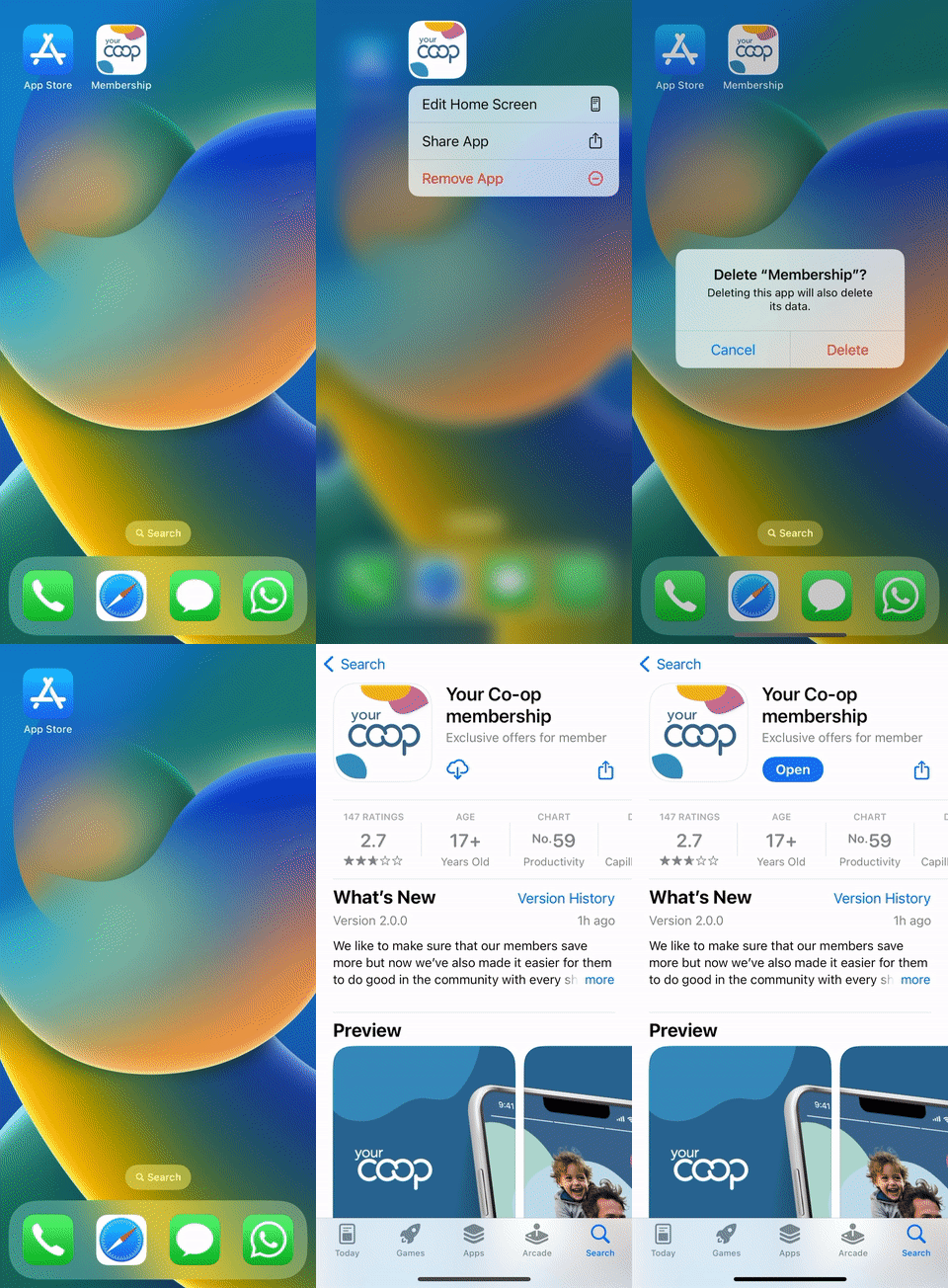
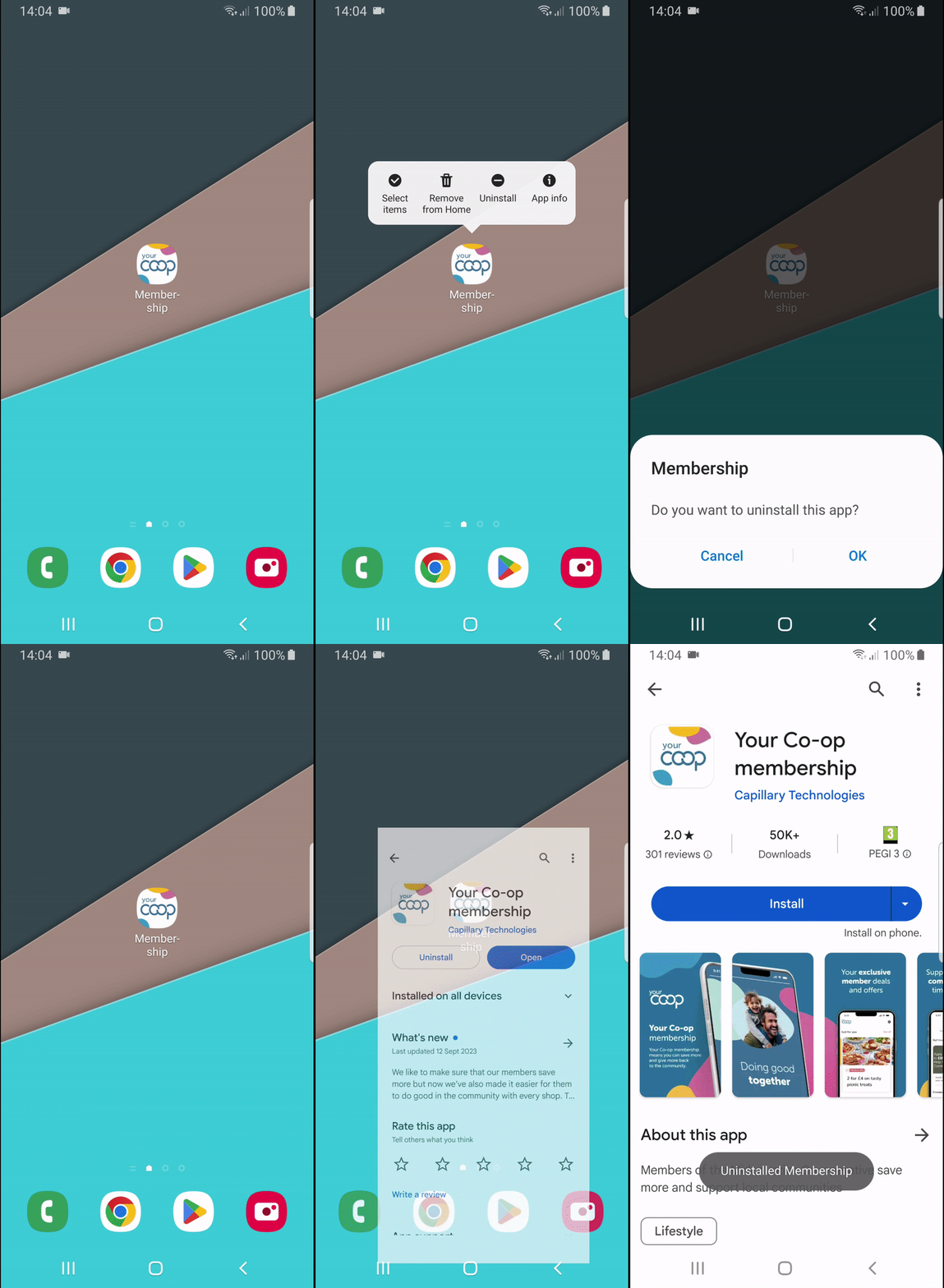
Still not working? Now delete and reinstall the app:
- Find the “Your Co-op Membership” app on your phone, hold down the icon and uninstall/delete the app.
- Open the Play store or App store and search for “Your Co-op Membership”.
- Once you see the icon, click on the cloud
 or "Install" button to download the new app.
 - Open the app and log back in
iPhone
Android
None of that worked?
Get in touch with our friendly membership team by email member.communications@midcounties.coop or by phone on 0800 435902